

The Acer vs MacBook debate confuses a lot of buyers—and understandably so. On one side, you have a broad Windows ecosystem with prices starting under $400. On the other, you have Apple’s M4-powered MacBooks, which start at $1,099 and sit in a completely different league for battery life and efficiency.
Most comparison articles dump spec tables and still never tell you which one to buy. So this guide cuts straight to the verdict first, then backs it up with the details that actually matter.
⚡ Quick Verdict
If you need a laptop under $800 or you game, buy an Acer. You get solid Windows performance, discrete GPU options, and far more flexibility at lower price points.
If you prioritize battery life, creative work, or the Apple ecosystem: Buy the MacBook Air M4. Its efficiency, build quality, and 18+ hour battery make it one of the best laptops available right now—at any price.
Acer vs MacBook: Spec Comparison (2026)
| Feature | Acer Swift 14 AI / Nitro 16 | MacBook Air M4 (2025) |
|---|---|---|
| Starting Price | ~$599 (Aspire) / ~$1,199 (Swift AI) | ~$1,099 |
| Processor | Intel Core Ultra 7 / AMD Ryzen / Snapdragon X | Apple M4 (10-core CPU) |
| Base RAM | 8GB–16GB | 16GB |
| Battery Life | 6–12 hours (real-world) | 18–20 hours (real-world) |
| Display | 1080p IPS to 2.8K OLED (model-dependent) | 2560×1664 Liquid Retina |
| Weight | 3.3–5.5 lbs | 2.7 lbs |
| Operating System | Windows 11 | macOS Sequoia |
| Gaming | ✅ Strong (Nitro/Predator GPU options) | ❌ Limited library and GPU |
| Build Material | Plastic (Aspire/Nitro) to aluminum (Swift) | Uniform aluminum |
| Best For | Budget buyers, gamers, Windows users | Creative pros, travelers, Apple users |
Performance Between the M4, Intel Core Ultra and AMD Ryzen
In everyday tasks—browsing, productivity, and light video editing—the MacBook Air M4 performs consistently and silently. Because the Air uses a fanless design, it remains silent during everyday workloads and handles most productivity tasks without noticeable performance drops.
In testing, the M4 handles 4K timeline edits in Final Cut Pro and large Photoshop files without breaking a sweat.
Acer’s Swift 14 AI runs Intel Core Ultra 7 or Snapdragon X Plus processors. Both are competitive in benchmark scores, but under sustained load, they throttle more than the M4 and drain battery significantly faster. So, for sustained creative workloads, the MacBook wins.
However, the Acer Nitro 16 changes the performance conversation entirely. Its NVIDIA RTX 4060 can deliver several times more graphics performance than the M4’s integrated GPU in gaming, 3D rendering, and GPU-accelerated workloads. For gaming, 3D rendering, or machine learning tasks that rely on discrete GPU power, the Acer wins clearly.
Acer also covers the budget AMD Ryzen space well. If you’re wondering whether AMD Ryzen 5 is worth it for an entry-level Acer, the Ryzen 5 7530U and similar chips handle everyday workloads confidently at sub-$700 price points.
Component Comparison Between Macbook vs Acer
Choosing between an Acer laptop and a MacBook comes down to which features matter most to you. Below, we compare the two in the areas that have the biggest impact on everyday use—battery life, build quality, display, and overall value—so you can quickly see which brand performs better for your needs.
Battery Life Comparison
The MacBook Air M4 delivers 18–20 hours of real-world battery life, while the Acer Swift 14 AI lasts around 10–12 hours (or 6–7 hours with heavier use).
Why choose the MacBook over Acer?
- More reliable unplugged performance: ideal for travel, work, and all-day use without carrying a charger.
- Longer battery life: lasts up to 18–20 hours on a single charge.
- Better power efficiency: Apple optimizes the M4 chip and macOS together.
Build Quality and Display of Acer and Macbook
The MacBook Air M4 offers a premium aluminum unibody with consistently excellent build quality across all models. Acer’s Swift 14 AI comes close, but build quality varies across Aspire, Swift, and Nitro laptops.
Why choose the MacBook?
- More consistent build quality: every model uses a rigid aluminum unibody.
- Better durability: stronger chassis, hinge, and keyboard than most Acer models.
- Premium feel across the lineup: no need to pay extra to avoid plastic construction.
Display Note: If display quality is your top priority, Acer’s 2.8K OLED models are just as good—and in some cases better—than the MacBook Air’s Liquid Retina display for watching content.
What is the Price and Value of Acer and MacBook?
Acer offers far better value, with capable laptops starting around $399, while the MacBook Air M4 starts at $1,099. For buyers under $800, Acer delivers significantly more performance for the money.
Why choose Acer over the MacBook?
- More choices: gaming, productivity, and premium Windows laptops across multiple price points.
- Lower starting price: options are available from around $399.
- Better value under $800: strong performance for students and everyday users.
Model Comparison Between Acer and MacBook
Acer and MacBook target different buyers entirely — Acer spans budget to gaming laptops, while MacBook Air M4 is Apple’s single current model discussed in this piece. The right pick depends on whether you need Windows flexibility/gaming power or Apple’s efficiency and battery life.
Acer vs MacBook Air
The MacBook Air M4 combines 18–20 hours of battery life with a premium aluminum build and silent fanless operation. Acer offers good alternatives, but its battery life and build quality vary by model.
Why choose the MacBook Air over Acer?
- Better build quality: durable aluminum unibody across every model.
- Longer battery life: up to 18–20 hours on a single charge.
- Silent, efficient performance: fanless M4 design stays cool and quiet.
Acer vs MacBook Pro
The MacBook Pro M5 delivers class-leading battery life, workstation-level performance, and unmatched efficiency. Acer’s RTX-powered laptops are better for gaming, but they can’t match the MacBook Pro for professional workloads.
Why choose the MacBook Pro over Acer?
- Longer battery life: up to 24 hours on a single charge.
- Superior creative performance: M5 Pro/Max excels in video editing, 3D rendering, and other professional tasks.
- More powerful hardware: up to an 18-core CPU, 40-core GPU, and 128GB unified memory for demanding workflows.
Acer vs MacBook Neo
The MacBook Neo offers a premium design, long battery life, and smooth everyday performance at a budget-friendly price. However, Acer remains the better choice for gaming and demanding workloads.
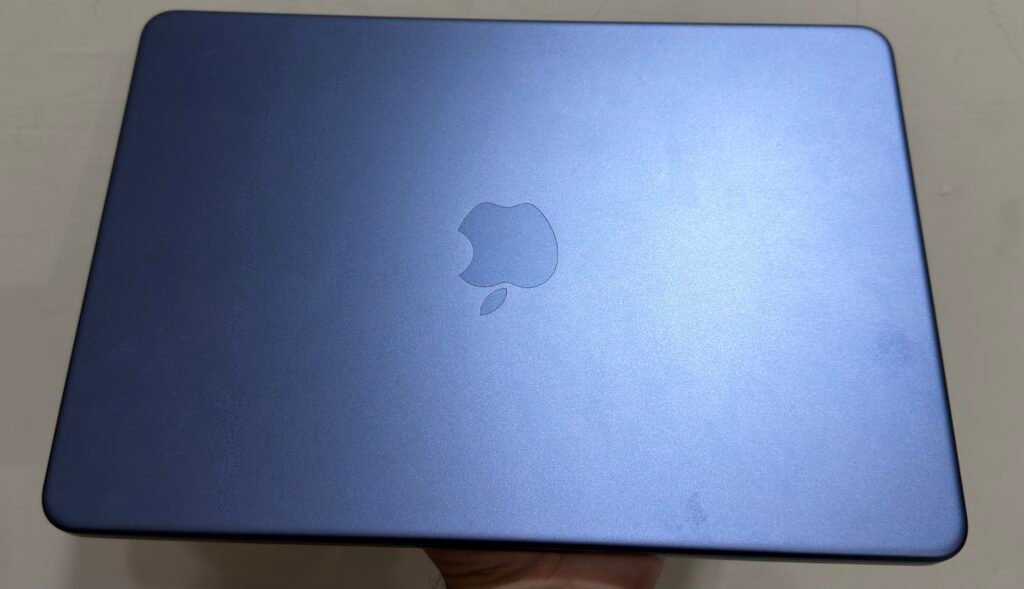
Why choose the MacBook Neo over Acer?
- Better for everyday use; ideal for students, web browsing, office work, and media consumption.
- Longer battery life: up to 16 hours, outlasting most Acer laptops.
- Premium aluminum build: sturdier and more refined than most budget Acer models.
Quick Score Table
| Category | Acer | MacBook Air M4 | MacBook Pro M5 | MacBook Neo |
|---|---|---|---|---|
| Battery Life | 7/10 | 10/10 | 10/10 | 9/10 |
| Performance | 8/10 | 9/10 | 10/10 | 7/10 |
| Gaming | 10/10 | 5/10 | 6/10 | 5/10 |
| Build Quality | 7/10 | 10/10 | 10/10 | 9/10 |
| Display | 8/10 | 9/10 | 10/10 | 8/10 |
| Price Value | 10/10 | 7/10 | 6/10 | 9/10 |
| Portability | 8/10 | 10/10 | 8/10 | 9/10 |
| Overall Score | 8.3/10 | 8.6/10 | 8.6/10 | 8.0/10 |
Quick Conclusion:
- 🏆 Best Overall: MacBook Air M4: Best balance of battery life, build quality, and everyday performance.
- 🎬 Best for Professionals: MacBook Pro M5: Ideal for editing, 3D work, and heavy creative tasks.
- 🎮 Best for Gaming & Budget: Acer: Wins on GPU options, Windows flexibility, and price.
- 🎓 Best Budget Mac Experience: MacBook Neo: Great for students and basic workloads, but not for gaming or heavy tasks.
Which One Should You Buy?
Choose Acer if you:
- Have a budget under $900
- Play PC games and need a dedicated GPU
- Rely on Windows-only software or enterprise tools
- Want more port options and display size variety
Choose MacBook if you:
- Work in video editing, design, or music production
- Need genuine all-day battery without a charger
- Already use iPhone, iPad, or AirPods and want seamless integration
- Want a quiet, lightweight machine for travel
The bottom line: Most people choosing between an Acer and a MacBook will find the Acer is the practical, flexible choice—especially under $1,000. But for professionals who spend heavily on software tools or creative workflows or simply hate charging their laptop twice a day, the MacBook Air M4 justifies every dollar of its premium.
My Honest Take on Acer and MacBook?
If I were choosing between Acer and MacBook with my own money, I’d personally choose the MacBook. I currently use one, and for the way I use my laptop, it has been delivering the performance I need without feeling like I’m settling for a budget machine.
- The performance has been enough for me: For everyday work, browsing, media and general productivity, I haven’t felt the need for a more powerful laptop.
- I prefer the battery life: Being able to use it for long periods without constantly looking for a charger makes a noticeable difference to me.
- I like the build quality: The aluminium design feels more premium than most budget laptops I’ve used.
- The price makes more sense to me now: With the MacBook Neo giving buyers a lower-cost entry into Apple’s laptop lineup, I no longer see the MacBook as something you automatically have to spend $1,000+ to get.
- I wouldn’t choose it for gaming: If gaming were my priority, I’d still pick Acer because its Windows laptops offer dedicated GPUs and much better gaming flexibility.
My choice: I’d go with the MacBook for everyday use and portability. I’m choosing it based on my own experience with the machine, not simply because it’s an Apple laptop.
One important thing to consider: The MacBook is not for heavy gaming; it is mainly used for office and business work. However, if your primary task is gaming, you should consider choosing Acer.
Common Questions Asked About Acer vs MacBook
Depends on use — MacBook Air wins on battery life, build quality, and creative workflows, while Acer wins on price and gaming performance under $800.
For gaming and budget needs, Acer’s Nitro 16 beats the MacBook Air with its RTX 4060 GPU and lower starting price.
Shorter battery life (6–12 hours vs Air’s 18–20), inconsistent build quality across Aspire/Nitro models, and more throttling under sustained load.
Build quality varies by line — Aspire and Nitro use plastic while Swift models use aluminum, so quality depends on which series you buy.
Yes — the Acer Swift 14 AI (2025), which matches on pricing and thin-and-light design but falls short on battery life and build consistency.
Final Words on Acer vs MacBook
The Acer vs MacBook decision ultimately depends on budget, use case, and how much the OS matters to you. Acer wins for gamers, budget buyers, and Windows users who need flexibility. The MacBook Air M4 wins for creatives, travelers, and anyone already in the Apple ecosystem.
If you’re spending over $1,000 and don’t game, the MacBook is the smarter long-term purchase. If you need more for less—or want to play PC games—Acer is the right call.
