

If you’re wondering whether a prebuilt gaming keyboard is actually worth buying, the answer depends on how much you care about customization versus simply getting a great gaming experience.
I’ve found that modern prebuilt keyboards now offer many of the features that once made custom builds more appealing, including hot-swappable switches, better stabilizers, sound dampening, and Hall effect technology.
In this guide, I’ll break down what you actually get from a prebuilt keyboard, where it makes sense, when a custom board is worth the extra money, and which type I’d choose for gaming.
Quick Picks
Short on time? Here’s the verdict before the detail:
What “Prebuilt” Actually Means (and Why It Matters)?
In the keyboard world, “prebuilt” simply means a complete, factory-assembled keyboard you buy and use immediately. The opposite is a custom build — a barebones kit where you source your own switches, keycaps, and stabilizers, then assemble (and often lube) everything yourself.
Prebuilt doesn’t mean basic anymore, either. Many 2026 prebuilt keyboards ship with the same features enthusiasts used to pay extra for: gasket-mounted plates, hot-swappable sockets, sound-dampening foam, and pre-lubed stabilizers straight out of the box. The gap between “prebuilt” and “custom” has narrowed considerably this year.
The Best Prebuilt Keyboards in 2026
These are the 5 best prebuilt gaming keyboards to use in 2026.
Wooting 80HE
The Wooting 80HE uses Lekker L60 V2 Hall effect magnetic switches with actuation adjustable from 0.1 mm to 4.0 mm, paired with Wootility software that’s still the benchmark other brands are chasing. It ships in an 80% layout (full alphanumeric block, no numpad), with a silicone gasket mount and screw-in stabilizers for a refined sound. It’s wired only, connecting over a 2-metre USB-C cable, and supports true 8 kHz polling.
Buy it if you want the most precise, fully tunable competitive keyboard available and don’t mind paying for it.
Pros: Best-in-class actuation customization, excellent software, fast and consistent switches, hot-swappable
Cons: Premium price ($209–$299 depending on case material), no wireless option
SteelSeries Apex Pro Mini
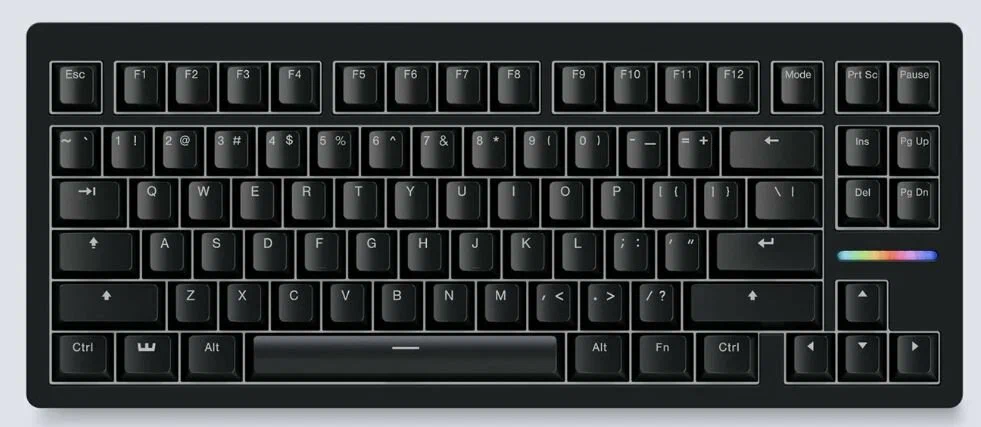
The Apex Pro Mini brings adjustable Hall effect actuation (OmniPoint 2.0) to a 60% layout. It comes in two versions: a wireless model (2.4 GHz + Bluetooth 5.0, ~$190, MSRP $240) and a cheaper wired-only model (~$140, MSRP $180) that’s functionally identical minus the battery.
Buy it if you want tournament-grade actuation customization without paying Wooting prices, and the wired version is the better deal if you don’t need wireless.
Pros: Tournament-ready size, adjustable actuation, wired version is genuinely affordable
Cons: No keypad, OLED display feels gimmicky for gaming
Glorious GMMK 3 65% Prebuilt
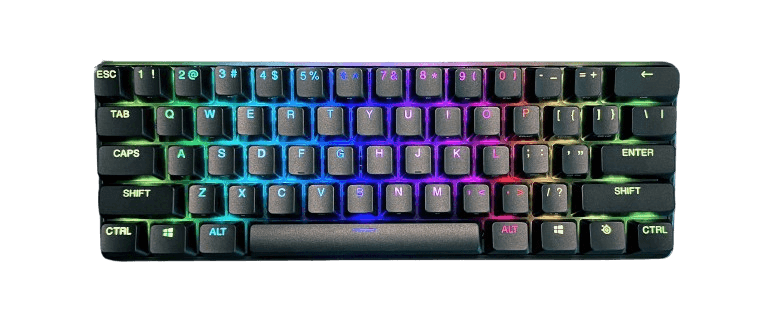
At $119.99 (down from a $139.99 MSRP), Glorious GMMK 3 is the clearest example of how much “prebuilt” has improved. It comes gasket-mounted, hot-swappable (5-pin MX, Fox linear switches) with sound-dampening foam and GPBT doubleshot keycaps already installed — specs that used to require a custom build to get. It’s wired only.
Buy it if you want a genuinely premium-feeling board without the premium price, and you’re fine staying wired.
Pros: Genuinely premium feel for the price, hot-swap lets you upgrade switches later, foam-dampened sound
Cons: Wired only, software isn’t as polished as Wooting’s or SteelSeries’s
Asus ROG Strix Scope II 96
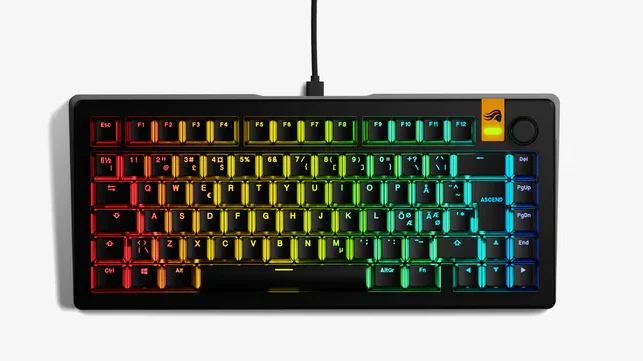
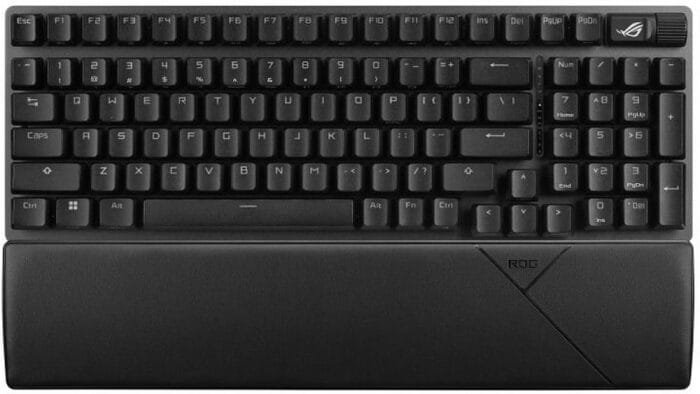
The Asus ROG Strix Scope II 96 keeps the full function row and numpad in a 96% layout, freeing up only a little desk space versus full-size. The pre-lubed ROG NX switches are hot-swappable, and the current Wireless version adds tri-mode connectivity (Bluetooth, 2.4GHz, or wired USB-C), typically priced $130–$180 depending on retailer promotions.
Buy it if you don’t want to give up your numpad but still want a smaller footprint and the option to go wireless.
Pros: Rare full-key layout in a compact frame, hot-swappable pre-lubed switches, tri-mode wireless available, volume roller
Cons: Bigger footprint than 65% or 60% boards if desk space is genuinely tight
Ajazz AK820 Pro
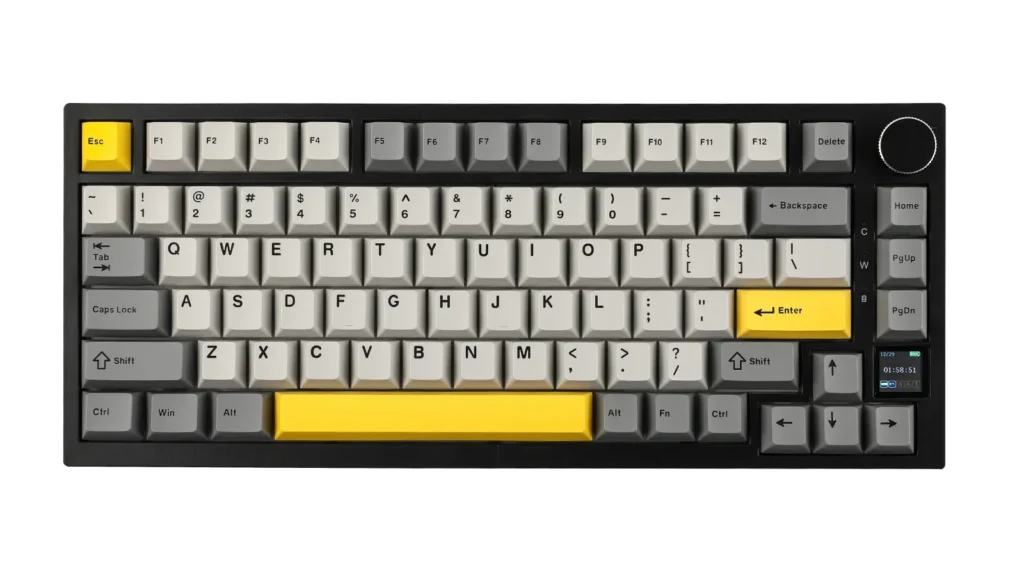
If you’re testing the mechanical-keyboard waters or buying for a second setup, the Ajazz AK820 pro is where to start. The 75% layout board ships gasket-mounted, hot-swappable, and wireless (Bluetooth 5.1, 2.4 GHz, or wired USB-C) for roughly $50–$70 — specs that would have been mid-range pricing just a couple years ago. It also includes a small TFT status display and a control knob.
Buy it if you want hot-swap and wireless on a tight budget and don’t need premium keycap materials.
Pros: Genuinely low price for hot-swap + wireless, gasket-mounted feel, useful TFT display
Cons: ABS keycaps wear faster than PBT; companion software is basic next to premium brands
Comparison Table
| Keyboard | Switch Type | Layout | Hot-Swap | Wireless | Best For | Price |
|---|---|---|---|---|---|---|
| Wooting 80HE | Hall effect (magnetic) | 80% | Yes | No | Overall performance | $209–$299 |
| SteelSeries Apex Pro Mini | Hall effect (magnetic) | 60% | No | Yes (or wired model) | Competitive FPS | $140–$190 |
| Glorious GMMK 3 65% Prebuilt | Mechanical hot-swap | 65% | Yes | No | Best value | $119.99 |
| Asus ROG Strix Scope II 96 | Mechanical hot-swap | 96% | Yes | Yes (tri-mode) | Compact full layout | $130–$180 |
| Ajazz AK820 Pro | Mechanical hot-swap | 75% | Yes | Yes | First mechanical board | $50–$70 |
Common Mistakes to Avoid
- Buying a smaller layout than you actually need. A 60% board looks great on camera but means re-learning arrow keys and function shortcuts. If you use them daily, go 65% or larger.
- Chasing Hall effect switches you won’t use. Adjustable actuation matters for competitive shooters; for most single-player and casual gaming, a good mechanical switch performs just as well for less money.
- Ignoring hot-swap support. A non-hot-swap board locks you into the stock switches forever. It’s a small spec line that saves you from rebuying a whole keyboard later.
- Assuming wireless always adds lag. Modern 2.4GHz gaming receivers are effectively as fast as wired for most players, but always check the keyboard supports a dedicated 2.4GHz mode, not just Bluetooth, if competitive latency matters.
Which One Should I Choose Between Prebuilt and Custom Keyboards?
For most gamers, I would choose a prebuilt gaming keyboard. Modern prebuilts already offer the features that matter most for gaming, while custom keyboards make more sense if you specifically want to fine-tune the typing feel, sound, switches, and keycaps.
- Buy a prebuilt if: you want to plug it in and start gaming immediately.
- Choose prebuilt if: you want features like hot-swappable switches or Hall effect technology without assembling the keyboard yourself.
- Choose custom if: you enjoy building keyboards and want complete control over switches, keycaps, stabilizers, sound, and feel.
- Choose custom if: you are willing to spend extra time and money getting every component exactly how you want it.
My pick for most gamers: Prebuilt. The performance and customization options available today make a good prebuilt difficult to justify replacing with a custom board unless customization itself is the reason you’re buying one. Also, you should go through my wired vs wireless keyboards guide to determine which one is suitable for your gaming.
Questions Gamers Also Ask About Prebuilt Keyboards
Yes. Boards like the Wooting 80HE and SteelSeries Apex Pro Mini are used in competitive play at a high level — prebuilt no longer means compromised performance.
Usually, yes, especially under $150. Custom builds add up fast once you price switches, keycaps, and a barebones kit separately.
If it’s hot-swappable — like the GMMK 3, the ROG Strix Scope II 96, or the AK820 Pro — yes. You can swap switches without soldering, which gives you a lot of the custom-build experience later.
Hall effect switches use magnets to detect keypresses and allow adjustable actuation points; mechanical switches use a fixed physical contact point. Hall effect is generally faster and more consistent for competitive gaming.
Sources
- PCMag — Best Gaming Keyboards for 2026
- RTINGS.com — The 6 Best Gaming Keyboards of 2026
- PC Gamer — Best Gaming Keyboards in 2026
- Tom’s Hardware — Best Gaming Keyboards 2026
- Tom’s Guide — Best Gaming Keyboards in 2026
- Wooting.io — Wooting 80HE product page (specs verified June 2026)
- SteelSeries.com / Tom’s Hardware — Apex Pro Mini pricing (specs verified June 2026)
- Glorious Gaming / Best Buy / Micro Center — GMMK 3 65% Prebuilt pricing (verified June 2026)
- ASUS ROG / Best Buy — Strix Scope II 96 pricing and specs (verified June 2026)
- Ajazz / Epomaker — AK820 Pro pricing and specs (verified June 2026)
