

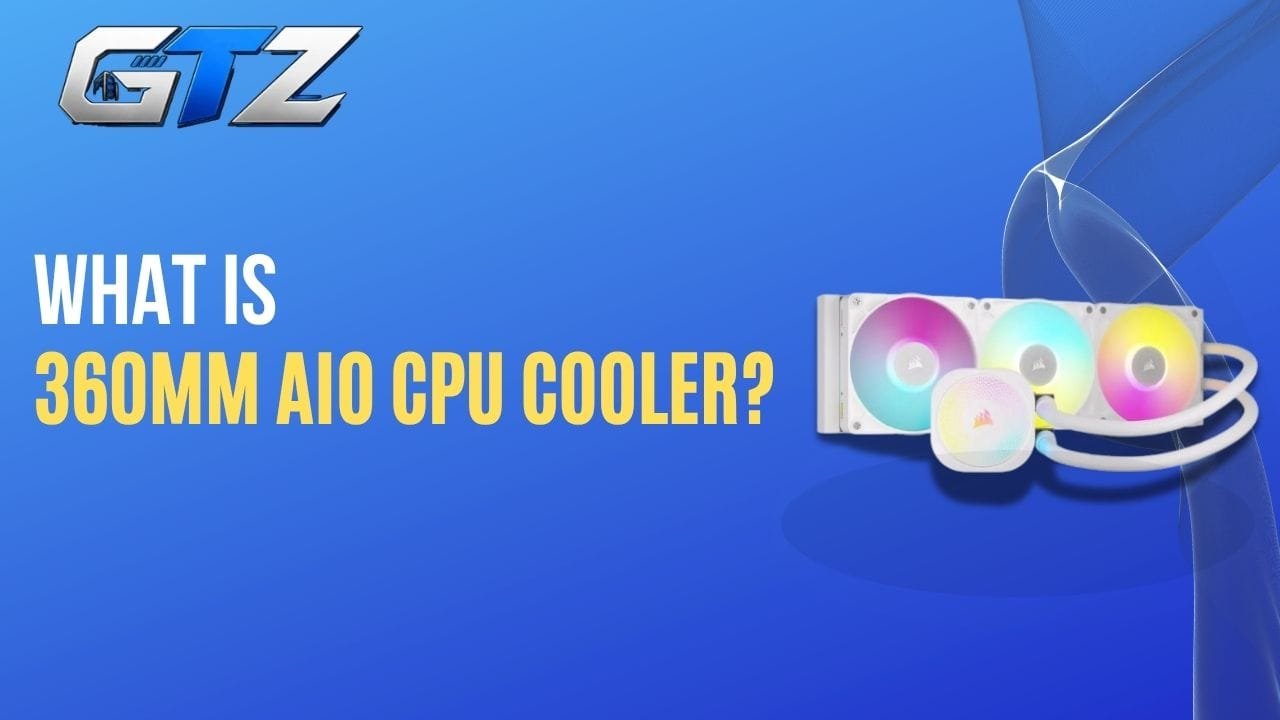
If you’re shopping for a CPU cooler and keep seeing the term 360mm AIO, you might be wondering what exactly it means.
Is 360mm the size of the cooler? Is it a specific model? Does a 360mm AIO actually cool better than a 240mm or 280mm cooler? And, perhaps most importantly, do you really need one? And I am here to answer all these questions.
A 360mm AIO is an all-in-one liquid CPU cooler with a radiator approximately 360mm long.
But bigger doesn’t automatically mean better for every PC. Your CPU, case, workload, noise preferences, budget, and even radiator clearance all matter.
In this guide, I have explained what a 360mm AIO is, how it works, how it compares with other cooler sizes, and whether it makes sense for your build.
What is a 360mm AIO?
A 360mm AIO is a type of all-in-one liquid CPU cooler that uses a radiator designed around three 120mm fans. It is generally aimed at users who want strong CPU cooling, particularly for high-performance processors and sustained workloads.
Unlike a custom water-cooling loop, an AIO comes as a preassembled, sealed system. You typically get:
- A CPU pump/block
- A radiator
- Three 120mm fans
- Flexible tubing connecting the radiator and pump
- Coolant already inside the loop
- Mounting hardware for your CPU socket
There’s an important distinction here:
“360mm AIO” is a category, not a specific product.
For example, the ARCTIC Liquid Freezer III 360 is one particular 360mm AIO. Its manufacturer lists a 398 × 120 × 38 mm radiator and three 120mm P12 PWM fans.
Other manufacturers make their own 360mm AIOs with different pumps, radiators, fans, software, lighting, displays, warranties, and prices.
How Does a 360mm AIO Work?
The pump/block sits on your CPU. When the processor generates heat, the cooler transfers that heat into the liquid circulating through the block. The heated liquid travels through the tubing to the radiator, where the fans move air through the radiator fins and release that heat into the case’s airflow. The cooled liquid then returns to the CPU block, and the cycle continues.
The basic working principle of the 360mm AIO is actually pretty straightforward. You can consider it as a continuous heat-transfer system. I have explained the working mechanism below:
1. The CPU Produces Heat
When your processor is gaming, rendering a video, compiling code, or performing another demanding task, it generates heat.
The CPU’s integrated heat spreader transfers that heat to the cooler’s cold plate.
2. The Cold Plate Absorbs the Heat
The cold plate sits directly against the CPU, usually with thermal paste between the two surfaces.
Inside the cooler’s block is a channel or microfin structure designed to transfer heat from the cold plate into the liquid.
3. The Pump Moves the Coolant
The pump circulates the liquid through the loop. And then this heated coolant travels away from the CPU block through one of the tubes.
4. The Radiator Releases the Heat
The hot liquid enters the radiator.
The radiator contains many small fins that increase its surface area. Air from the three fans passes through those fins and carries heat away.
5. The Cooler Liquid Returns to the CPU
After giving up some of its heat, the liquid travels back to the CPU block. The process repeats continuously.
So, in simplified form:
CPU → cold plate → coolant → radiator → fans → air → outside the radiator
The advantage of a 360mm radiator is that it provides a relatively large area for transferring heat from the coolant to the surrounding air.
How to Install a 360mm AIO Cooler?
Before opening the box, confirm:
- CPU socket support
- Case radiator support
- Radiator dimensions
- Fan clearance
- RAM clearance
- GPU clearance
This can save you from discovering an incompatibility halfway through the build. The installation varies by model, but the general process looks something like this
- Install the CPU mounting hardware: Prepare the appropriate mounting bracket or backplate for your CPU socket.
- Mount the radiator and fans: Decide whether you’re using a top or front mount based on your case and cooling priorities. Make sure the fans are oriented correctly for your desired airflow direction.
- Install the CPU block: Apply thermal paste if the cooler doesn’t already have it pre-applied. Then mount the pump/block evenly onto the CPU.
- Connect the cables: Depending on the model, you’ll have connections for Pump, Fans, RGB. USB, and Fan/controller hub. Some newer AIOs simplify this considerably.
- Configure your fan and pump curves: After booting into your operating system, check that the pump and fans are operating correctly. If your cooler supports software control, you can adjust the fan curve to balance temperature and noise.
Is a 360mm AIO Worth It?
Yes. Considering the performance, value, and efficiency, a 360mm AIO cooler is absolutely worth it.
However, buying or not buying depends upon your needs and requirements.
- Who Should Buy It: A 360mm AIO is worth considering when you have a powerful CPU, regularly run demanding workloads, want additional thermal headroom, or simply prefer the aesthetics and layout of liquid cooling.
- Who Should Not Buy It: But if you’re running a relatively efficient processor and your workload doesn’t push it particularly hard, you may be paying for cooling capacity you’ll rarely use.
And that’s the biggest mistake to avoid:
Don’t choose a 360mm AIO simply because it’s bigger. Choose it because it makes sense for your CPU and your build.
For a high-end system, the additional cooling capacity can be worthwhile.
For a mainstream PC, a good 240mm AIO, or even a quality air cooler, may provide all the performance you need.
360mm vs 240mm vs 280mm AIO
The radiator size is one of the biggest differences between AIOs.
Here’s the basic breakdown:
| AIO size | Typical fan configuration | General positioning |
|---|---|---|
| 120mm | 1 × 120mm | Compact/small builds |
| 240mm | 2 × 120mm | Mainstream |
| 280mm | 2 × 140mm | High-performance mainstream |
| 360mm | 3 × 120mm | High-performance |
| 420mm | 3 × 140mm | Very large/high-end |
A 360mm AIO gives you three 120mm fans, while a 280mm cooler uses two larger 140mm fans. That doesn’t mean you should automatically choose the 360mm model.
1. 360mm vs 240mm
The 360mm has a larger radiator and three fans instead of two 120mm fans. That gives it more cooling capacity and can provide additional thermal headroom under sustained CPU loads.
A 240mm AIO, however, is easier to fit into a wider range of cases. For a mainstream gaming CPU, a good 240mm AIO may already provide more cooling than you actually need.
2. 360mm vs 280mm
This is a more interesting comparison. A 280mm AIO uses two 140mm fans, while a 360mm uses three 120mm fans. Both can offer excellent cooling.
The 280mm configuration can also benefit from larger fans that don’t necessarily need to spin as quickly to move a useful amount of air.
So don’t assume that 360mm automatically beats every 280mm cooler. The radiator design, fan quality, pump, mounting, thermal paste, CPU, and fan curve all affect real-world performance.
3. 360mm vs 420mm
A 420mm AIO moves into the genuinely large category. It normally uses three 140mm fans and requires a case with suitable radiator support.
If your case supports it and you’re chasing maximum cooling performance, a 420mm AIO can make sense. But compatibility becomes much more restrictive.
For most high-performance desktop builds, 360mm is a much easier size to accommodate than 420mm.
What are the Advantages of a 360mm AIO CPU Cooler?
So why would you choose a 360mm cooler in the first place? Below, I have mentioned the benefits of using the 360mm AIO Liquid Cooler.
1. Strong Cooling Performance
The biggest reason for using the 360mm AIO cooler is its cooling capacity.
The larger radiator gives the cooler a substantial heat-transfer area, making 360mm AIOs particularly attractive for powerful CPUs and sustained workloads.
For example, Intel’s Core Ultra 9 285K is officially rated at 125W processor base power and up to 250W maximum turbo power. A processor capable of drawing that much power under demanding workloads benefits from serious cooling.
That doesn’t mean every 250W CPU requires a 360mm AIO, but it illustrates why large AIOs are commonly paired with high-end processors.
2. More Thermal Headroom
A cooler doesn’t have to run at its maximum capacity all the time. That’s useful.
If your CPU normally operates well below the cooler’s limits, you have more thermal headroom when the processor suddenly experiences a heavy workload.
3. Useful for Sustained Workloads
Gaming often isn’t the same as a continuous rendering or encoding workload. A larger AIO can be more attractive than it would be for someone who primarily browses the web and plays lighter games.
Consider the following tasks:
- 3D rendering
- Video encoding
- Large software builds
- Simulation
- Content creation
- CPU-heavy productivity work
If you’re regularly doing them, you should go for the 360mm AIO cooler.
4. Less Bulk Around the CPU Socket
A large air cooler can put a substantial heatsink directly over the motherboard. An AIO moves much of that cooling hardware to the case’s radiator mounting area.
That can make the area around the CPU socket look cleaner and may simplify access to some components.
It doesn’t mean an AIO automatically has better component clearance, though. The radiator itself can create clearance problems elsewhere.
5. Aesthetic Looks
I don’t know about you, but for a large number of gamers in my community and even for myself, aesthetics matter while building a computer from scratch.
Many 360mm AIOs include:
- RGB fans
- Illuminated pump blocks
- LCD displays
- Customizable screens
- Brand-specific lighting ecosystems
These give an incredibly aesthetic look to your gaming PC. For some builders, that’s a legitimate reason to choose an AIO. Just remember that RGB doesn’t improve CPU temperatures.
What are the Disadvantages of a 360mm AIO CPU Cooler?
A 360mm AIO isn’t automatically the best choice. There are some real trade-offs. Below, I have detailed the most possible ones.
1. It Costs More than Many Air Coolers
A good dual-tower air cooler can deliver impressive CPU cooling without requiring a pump, radiator, or three-fan radiator assembly.
If your CPU doesn’t need the extra cooling capacity, spending more on an AIO may not give you much practical benefit.
2. It Takes Up Significant Case Space
Three 120mm fans plus the radiator need a suitable mounting location. You might need to install the radiator:
- At the top
- At the front
- Occasionally at another supported position depending on the case
And your case needs to support the actual radiator dimensions, not merely say “360mm support.”
3. More Components Can Fail
An air cooler is relatively simple, like it only contains heatsink and fans. On the other hand, an AIO adds:
- Pump
- Tubing
- Radiator
- Coolant
- Seals
- Additional connections
Modern AIOs are designed as sealed systems, so you generally don’t have to refill them. Your maintenance is mostly keeping the radiator and fans free of dust.
Still, a pump is another mechanical component that can eventually wear out.
4. Installation Can Be More Complicated
Installing three fans, a radiator, tubing, pump/block, and associated cables is more involved than installing a basic air cooler.
Some AIOs are particularly straightforward; others have complicated mounting systems or require additional software/controllers.
5. Bigger Doesn’t Necessarily Mean Quieter
This is a common misconception. You might assume that a bigger radiator may lead to a quieter PC, but there is nothing like that.
A larger radiator can give you more thermal headroom, which can allow lower fan speeds. But the actual noise level depends on the fans, pump, fan curve, case airflow, radiator restriction, and how the manufacturer tunes the cooler.
Some high-performance AIOs are quite aggressive out of the box.
For example, Tom’s Hardware describes the current ARCTIC Liquid Freezer III Pro 360 as exceptionally strong in noise-normalized testing, but also notes that its default settings can be louder than some users may prefer.
So if silence is your priority, don’t shop based on radiator size alone.
Will a 360mm AIO Work With My CPU?
Most modern 360mm AIOs support a range of current AMD and Intel desktop sockets. But don’t assume compatibility just because the cooler is 360mm.
Radiator size and CPU socket compatibility are two completely different things.
Before buying, you have to check the manufacturer’s supported sockets. You should also check whether the mounting hardware required for your particular socket is included. And if you’re buying an older AIO for a newer CPU, pay particular attention to socket support.
For example, ARCTIC lists the Liquid Freezer III 360 as compatible with Intel LGA 1700 and 1851, as well as AMD AM4 and AM5.
How Much Power Does a 360mm AIO Use?
A 360mm AIO doesn’t consume anything close to the power used by your CPU or GPU, but it does require electricity for its pump and fans.
The exact amount varies considerably between models.
For example, ARCTIC’s Liquid Freezer III 360 lists a 12V pump rated at 0.35A, while each of its P12 PWM fans is listed at 0.10A. Those specifications give you an idea of why there isn’t one universal “360mm AIO power consumption” number.
Some models also have:
- RGB lighting
- LCD displays
- USB controllers
- Additional VRM fans
- Fan hubs
Those features can increase total power consumption.
But in the context of a gaming PC, the AIO’s power draw is generally a minor part of the system’s total consumption.
Your CPU and especially your GPU will typically matter far more to the overall power budget.
Best 360mm AIO CPU to Consider
If you’ve decided that a 360mm AIO is right for your build, it is time to know which one you should buy?
There are dozens of models, and their priorities differ.
As of 2026, the ARCTIC Liquid Freezer III Pro 360 is one of the strongest performance-focused choices. Below, I have provided the details of the best 360mm AIO Liquid Coolers you should buy in 2026
1. ARCTIC Liquid Freezer III Pro 360 – Best for Performance/Value
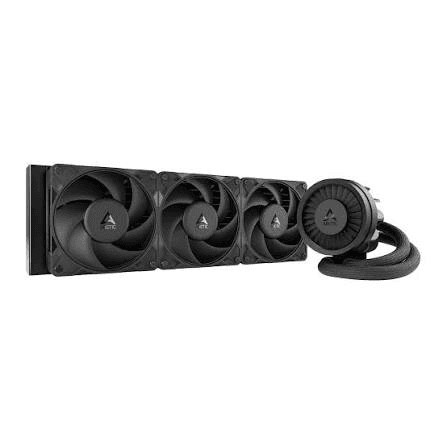
If your priority is cooling performance rather than flashy extras, this is one of the most compelling choices.
Its relatively thick radiator is part of the reason you need to pay close attention to case clearance, though. Tom’s Hardware currently identifies it as its top 360mm AIO pick.
2. NZXT Kraken Elite 360 – Best for Display/Aesthetics
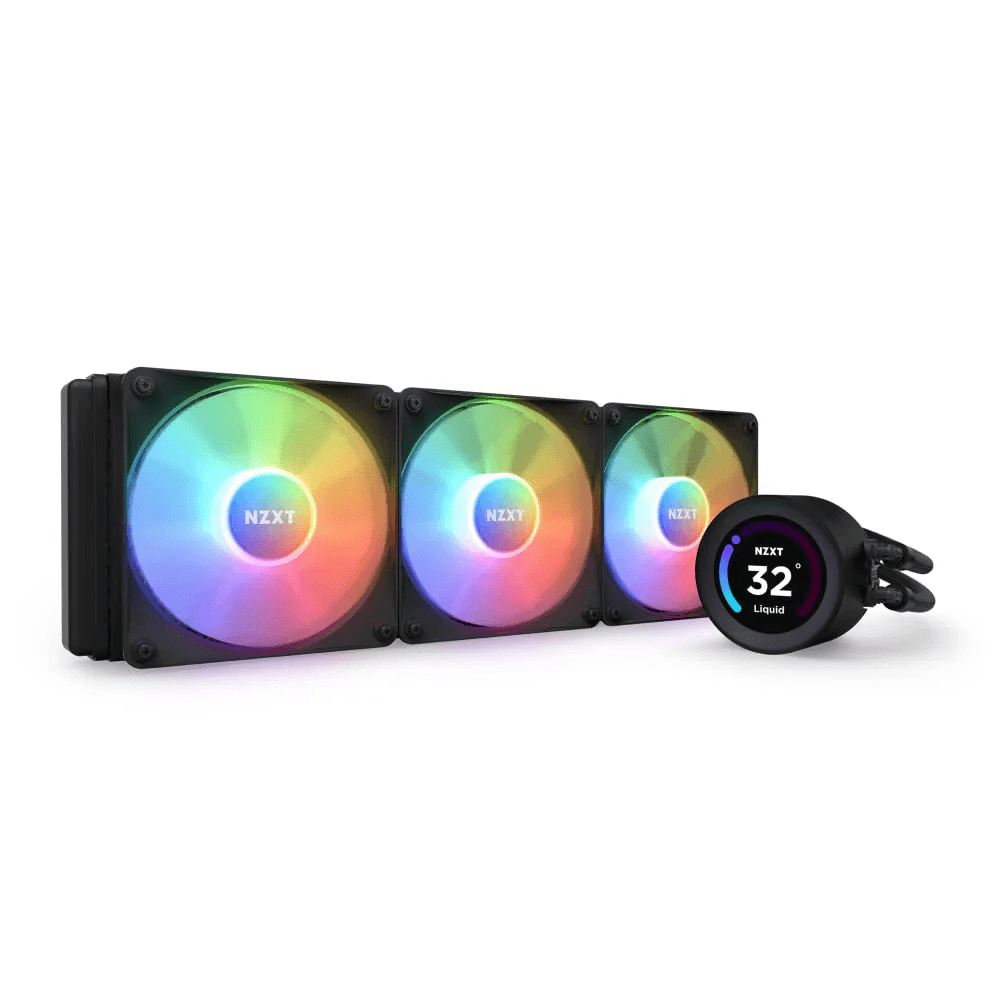
If you want a premium-looking cooler with an LCD display on the pump, the Kraken Elite 360 is aimed at a very different buyer.
You’re paying for more than raw cooling performance, as you’re also paying for the display and software experience.
3. Corsair iCUE Link Titan 360 RX RGB — Corsair Ecosystem
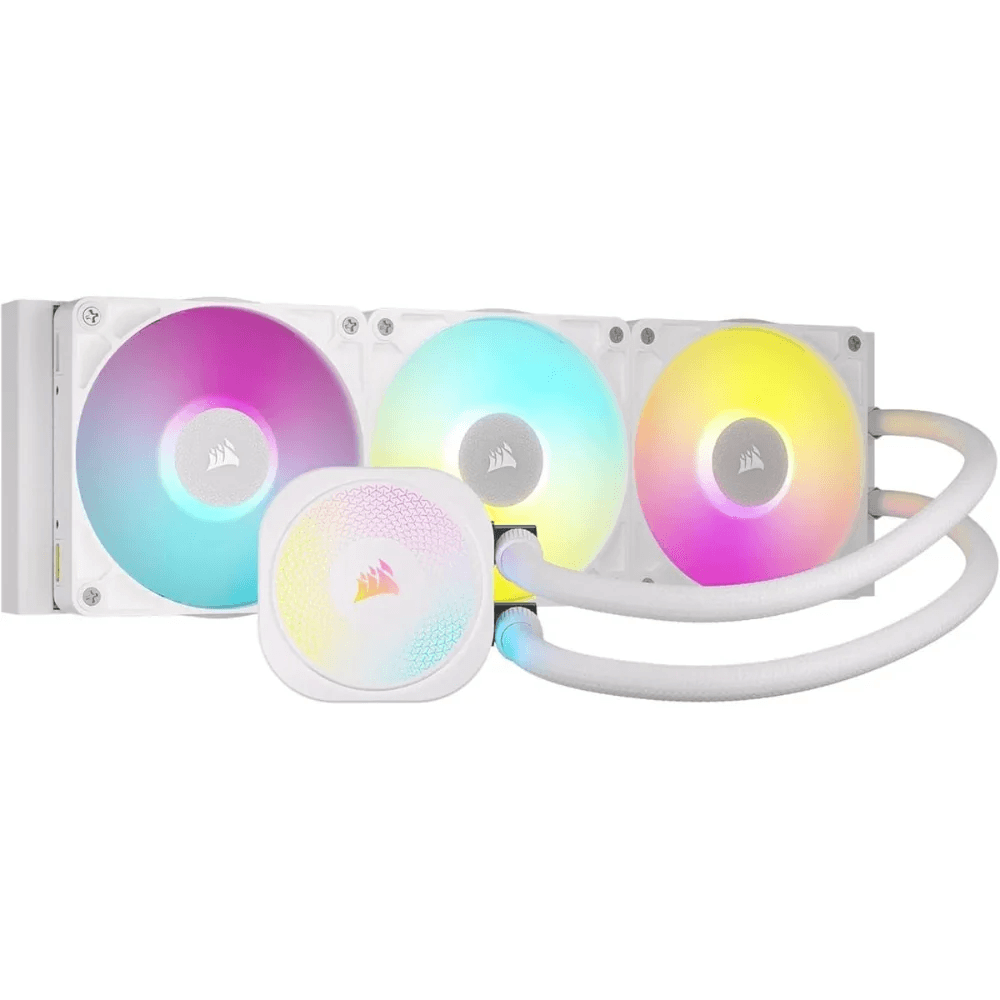
This is worth considering if you’re already invested in Corsair’s ecosystem.
The appeal isn’t just CPU cooling. The ecosystem, lighting, control, and cable-management features can be a major part of the purchase.
4. Lian Li Galahad II Trinity Performance 360 — RGB-Focused Builds
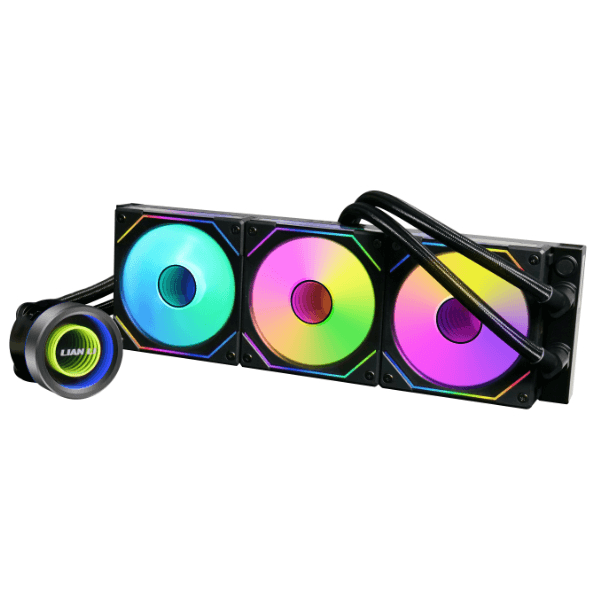
If you’re building a showcase PC and care about RGB and aesthetics alongside cooling, Lian Li’s 360mm options are worth looking at.
The important takeaway is that “best 360mm AIO” depends on what you value.
If you’re chasing the lowest temperatures, your answer may be different from someone who wants the best LCD display, quiet operation, easiest cable management, or lowest price.
Frequently Asked Questions About 360mm AIO CPU Cooler
Generally, a 360mm AIO offers more radiator capacity because it uses three 120mm fans instead of two. However, the real-world difference depends on the specific coolers, CPU, fan speeds, and workload.
No. Your case must specifically support a 360mm-class radiator at the mounting position you want to use. You also need to check radiator thickness, fan clearance, RAM clearance, and GPU clearance.
No. “360mm” describes the radiator class based around three 120mm fans. The actual radiator can be longer. For example, ARCTIC lists its Liquid Freezer III 360 radiator at approximately 398mm long.
It can be. If you have a CPU that doesn’t produce much heat under your typical gaming workload, a smaller AIO or good air cooler may be sufficient. For a high-end CPU, however, a 360mm AIO can provide useful thermal headroom.
Not automatically. A high-quality air cooler can compete surprisingly well with AIOs, particularly when the CPU’s power consumption isn’t extreme.
Most consumer AIOs are sealed systems and aren’t designed for routine coolant refilling. You generally maintain them by keeping the fans and radiator free of dust.
There isn’t one guaranteed lifespan for every AIO. Pump design, usage, manufacturing quality, and operating conditions all matter. This is one reason warranty length can be useful when comparing models. For example, ARCTIC lists a six-year manufacturer’s warranty for the Liquid Freezer III 360.
It can be an excellent match for high-end processors, especially when you’re running sustained workloads or using higher power limits.
For a high-end CPU or demanding workload, it can be. But for a mainstream system, you may get better value from a smaller AIO or a high-quality air cooler.
What’s My Final Take?
A 360mm AIO isn’t a specific cooler. It’s a category of all-in-one liquid CPU coolers built around a 360mm-class radiator and typically three 120mm fans.
Its biggest advantage is cooling capacity. That makes it particularly useful for powerful CPUs, sustained workloads, and users who want plenty of thermal headroom.
But don’t let the bigger number make the decision for you. Before buying one, ask yourself:
- What CPU am I cooling?
- How hard do I actually push it?
- Does my case genuinely support a 360mm radiator?
- Do I care more about performance, noise, price, or aesthetics?
- Would a 240mm AIO or good air cooler already do the job?
If your answers point toward high CPU loads and a case with adequate radiator clearance, a 360mm AIO can be an excellent choice.
If not, you may be spending extra money and space for performance you’ll never use.
