

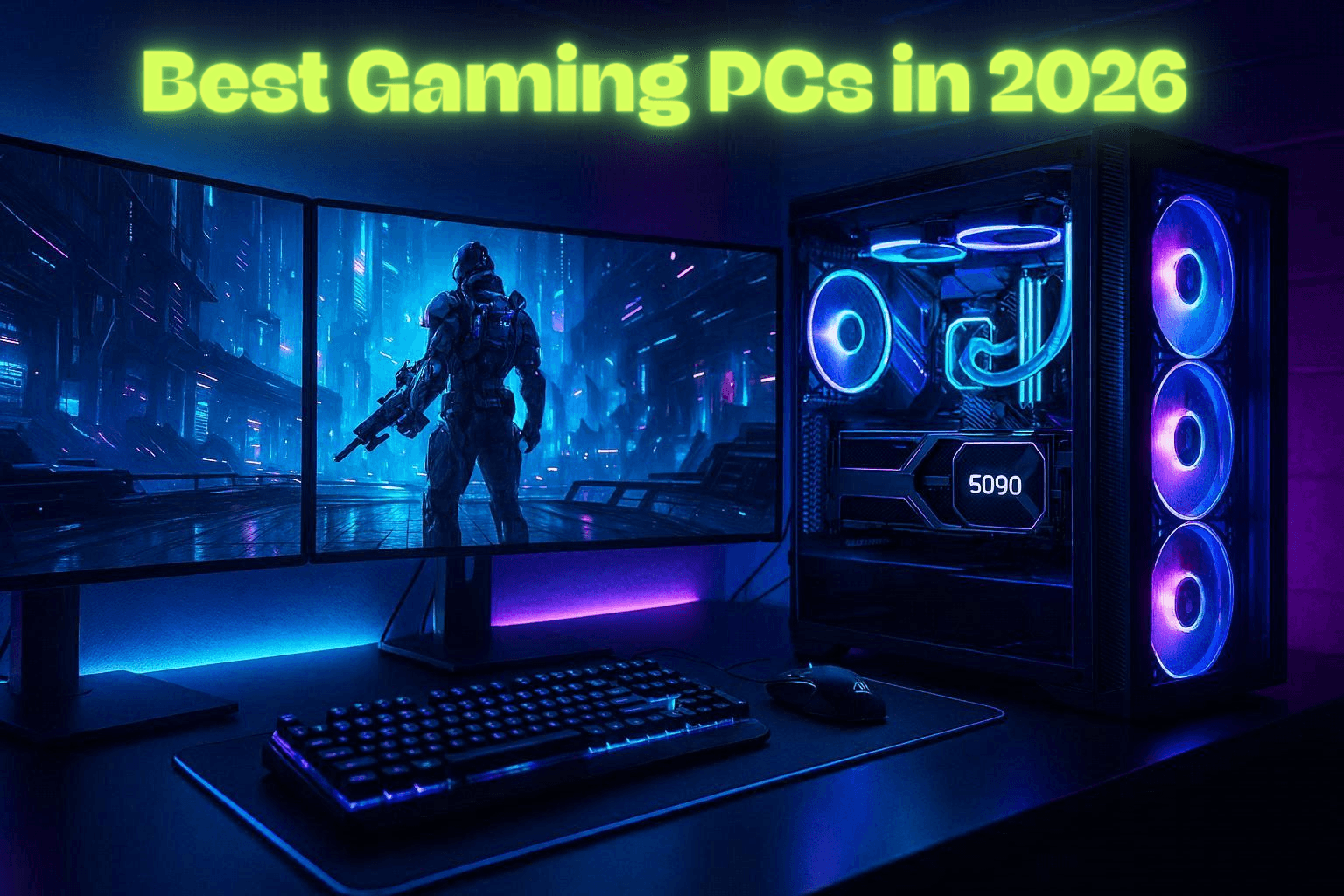
When I was buying my gaming PC, I checked both online stores and physical outlets and noticed something that confused me at first.
Two gaming PCs could look almost identical, yet one was noticeably more expensive. I initially thought a gaming PC was a gaming PC, and there couldn’t be that much difference between them.
That changed when I started comparing their specifications. The CPU, GPU, RAM, storage, cooling, and even the motherboard were different, and I realized that not every gaming PC is built for the same type of gamer or the same budget.
In this guide, I’ll break down gaming PCs across different budgets so you can see what you are actually getting before you spend your money.
What Factors Affect Gaming PC Prices?
There are several factors that affect gaming PC prices.
Main Factors Include:
- CPU
- GPU
- RAM
- Storage
- PSU
- Cooler
- Motherboard
1. CPU
A higher-end CPU costs more than a lower-end CPU. For example, a Ryzen 9 or Core i9 will generally cost more than a Ryzen 5 or Core i5, increasing the overall PC price.
2. GPU
The GPU can have one of the biggest effects on the total price. For example, choosing an Nvidia RTX 5090 instead of an RTX 5080 or Radeon can significantly increase the cost of the PC because the RTX 5090 is a higher-tier GPU.
3. RAM
More RAM usually means a higher price. A PC with 32GB RAM will generally cost more than one with 16GB. Faster RAM kits and newer memory standards can also increase the price.
4. Storage
Higher storage capacity increases the price. A 2TB SSD will generally cost more than a 1TB or 500GB SSD. Faster or higher-end SSDs can also cost more than basic models with the same capacity.
5. PSU
The PSU price depends on its wattage, efficiency rating, and quality. A 1000W PSU will generally cost more than a 750W model. Efficiency ratings such as 80 PLUS Bronze, Gold, Platinum, and Titanium can also affect the price, with higher-rated models generally costing more.
6. Cooler
The type and size of the cooler affect the price. A basic air cooler costs less than a 240mm AIO, while a 360mm AIO can cost more than a 240mm model. RGB lighting, displays, and premium fans can increase the price further.
7. Motherboard
A basic motherboard costs less than a higher-end model. More expensive motherboards can include features such as Wi-Fi, more M.2 slots, better VRMs, more USB ports, and additional PCIe connectivity, which increases the overall PC price.
Best Gaming PCs for Every Budget
1. Alienware Area-51
Specs:
- CPU: Intel Core Ultra 9 285K
- GPU: NVIDIA GeForce RTX 5090
- RAM: 64GB
- Storage: 2TB SSD
- Price: Around $5,600
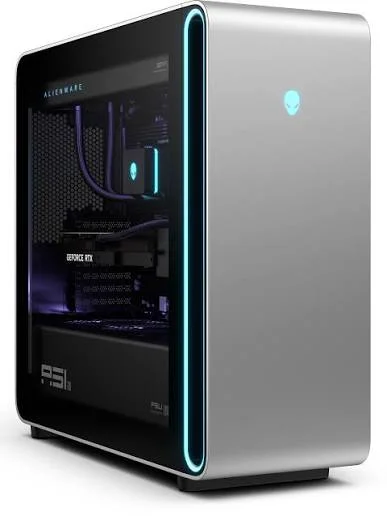
The Alienware Area-51 is aimed at gamers who want top-end 4K performance without worrying too much about the budget. It has enough headroom for demanding AAA games while also handling streaming, video editing, and other heavy workloads. For someone who wants a premium prebuilt and doesn’t want to compromise on performance, this is one of the systems I’d look at first.
2. MSI Infinite ZS
Specs:
- CPU: AMD Ryzen 9 9950X3D
- GPU: NVIDIA GeForce RTX 5090
- RAM: 32GB
- Storage: 2TB SSD
- Price: $7,799.99
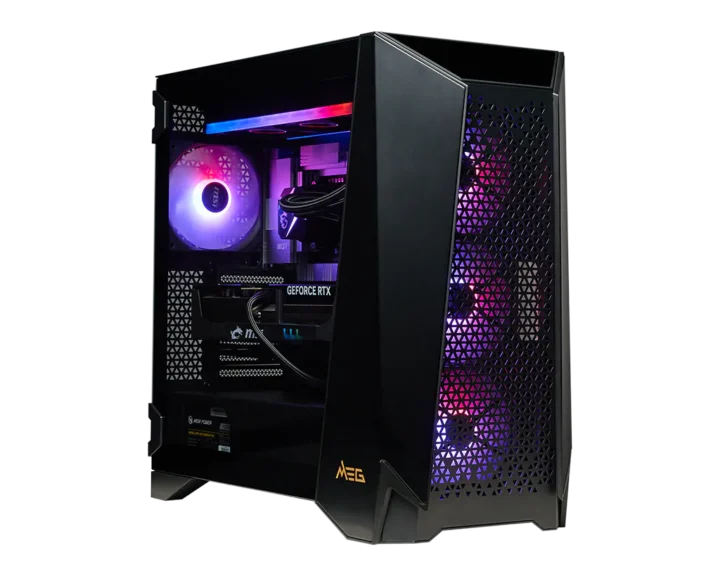
The MSI Infinite ZS takes the enthusiast route. Its hardware is suited to serious 4K gaming, but it also has the CPU and memory capacity to work well for demanding creative applications.
I do mainly consider this type of system for someone who knows they will use their PC for much more than gaming and wants high-end hardware across the board.
3. CLX SET
Specs:
- CPU: Ryzen 9 9900X3D
- GPU: RTX 5090
- RAM: 32GB
- Storage: 2TB NVMe SSD
- Price: $5,999
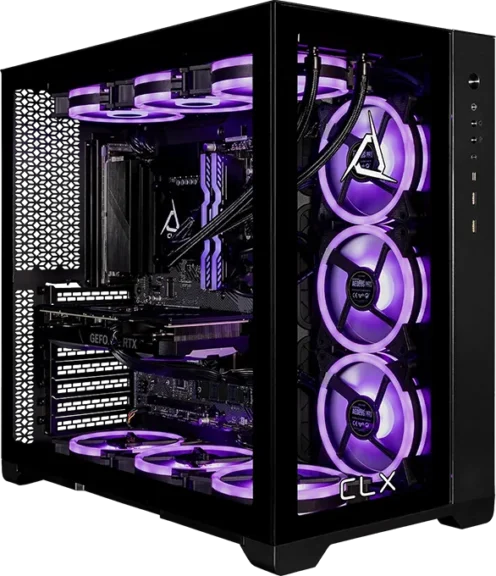
With the CLX SET, the focus is simple: high-end performance from a prebuilt system. It is designed for gamers who want strong performance at demanding resolutions while still having enough power for other intensive tasks.
I consider this type of PC when gaming performance is the priority, but I still want a machine that can handle heavier workloads without needing another system.
4. ASUS ROG G700
Specs:
- CPU: Intel Core Ultra 7 265KF
- GPU: RTX 5080 16GB
- RAM: 32GB
- Storage: 2TB
- Price: $3,049.99
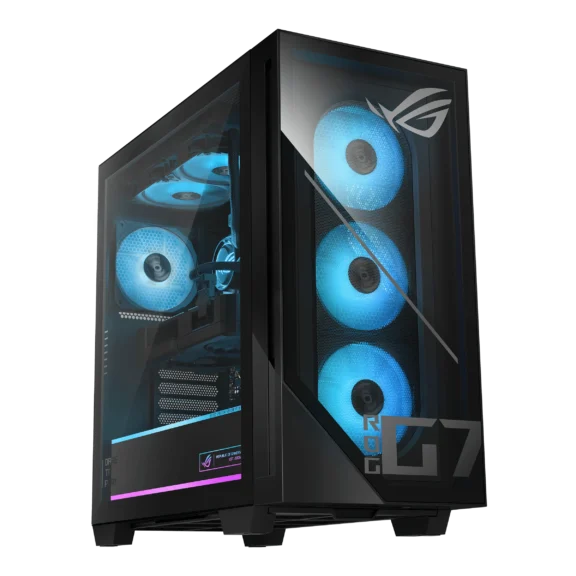
The ASUS ROG G700 offers a step down from the RTX 5090 systems without moving into the mid-range category. That makes it particularly interesting for gamers targeting high-refresh 1440p or 4K gaming. Choose a system like this when you want high-end performance but don’t need to move all the way up to the most expensive hardware available.
5. Skytech Blaze5
Specs:
- CPU: Ryzen 7 9800X3D
- GPU: RTX 5080
- RAM: 32GB
- Storage: 2TB SSD
- Price: $3,599.99
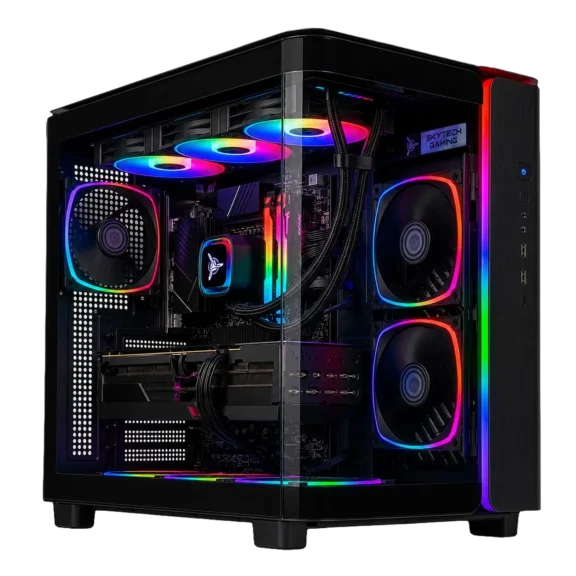
The Skytech Blaze5 is built with gaming as its main priority. Its combination of high-end CPU and GPU hardware makes it a strong fit for demanding AAA titles, 4K gaming, and high-refresh-rate play.
For a gamer who wants serious performance without stepping into an RTX 5090 build, this is a more focused option.
6. Lenovo Legion Tower 5
Specs:
- CPU: Ryzen 7 7800X3D
- GPU: RTX 5070
- RAM: 32GB
- Storage: 1TB SSD
- Price: $2,099
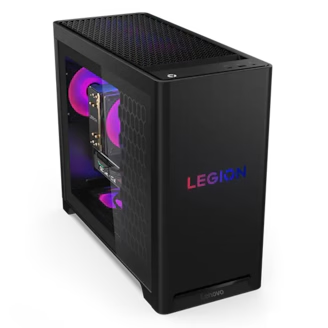
The Lenovo Legion Tower 5 makes more sense for someone who wants strong 1440p performance without paying for an enthusiast-class system. It has the hardware to handle modern games while still working well as a general-purpose desktop.
This PC is for gamers who want a balanced PC rather than simply chasing the highest specifications possible.
7. Skytech King 95
Specs:
- CPU: Ryzen 7 9700X
- GPU: RTX 5070
- RAM: 16GB
- Storage: 1TB NVMe SSD
- Price: $1,999.99
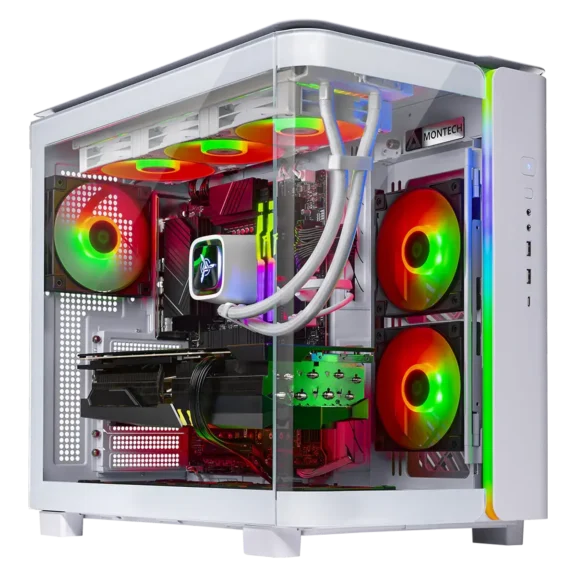
The Skytech King 95 is positioned around 1440p gaming, making it a good fit for players who want to move beyond 1080p without stepping into the high-end price range. It has enough performance for modern AAA games as well as competitive titles where higher refresh rates matter.
Consider it for someone who wants a gaming PC that can handle everyday tasks such as browsing, streaming, and multitasking without turning the system into an expensive enthusiast build.
8. CyberPowerPC Core Ultra 7
Specs:
- CPU: Core Ultra 7 265F
- GPU: RTX 5070
- RAM: 16GB
- Storage: 1TB SSD
- Price: $1,799.99
This CyberPowerPC configuration is aimed at buyers who want one PC for both gaming and everyday computing. Its RTX 5070 puts it in the 1440p gaming class, while the rest of the system makes it suitable for browsing, school or work applications, streaming, and multitasking.
It is a more practical choice for someone who doesn’t need an enthusiast-level machine.
9. CyberPowerPC Ryzen 9
Specs:
- CPU: Ryzen 9 9950X3D
- GPU: RTX 5070
- RAM: 32GB
- Storage: 2TB SSD
- Price: $3,169.99
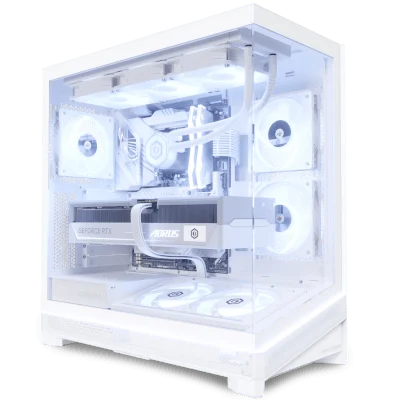
The Ryzen 9-based CyberPowerPC is more interesting for users who need gaming performance alongside serious productivity work. It makes sense for someone who edits videos, streams, renders content, or regularly runs multiple demanding applications while also gaming.
Rather than building solely around gaming, this type of machine is better suited to someone who wants one PC to handle both workloads.
10. iBUYPOWER Element SE
Specs:
- CPU: Intel Core i5-14400F
- GPU: RTX 5060 8GB
- RAM: 16GB
- Storage: 1TB SSD
- Price: $1,129.99
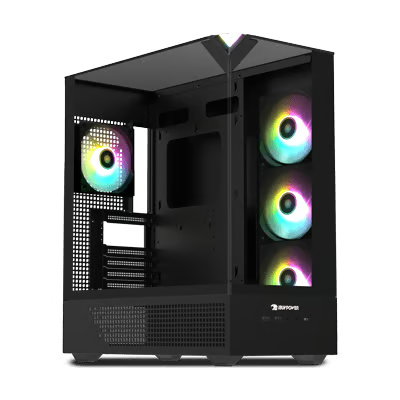
The iBUYPOWER Element SE is designed as an entry point into PC gaming. Its main target is 1080p gaming, which makes it a sensible option for esports, lighter games, and players who don’t need the extra hardware required for 1440p or 4K.
Look at this tier when keeping the initial cost down matters more than having high-end performance.
Gaming PC Comparison
| Gaming PC | Price | Main Use Case |
|---|---|---|
| Alienware Area-51 | $5,600 | 4K gaming & heavy workloads |
| MSI Infinite ZS | $7,799.99 | Enthusiast 4K gaming & content creation |
| CLX SET | $5,999 | Extreme gaming & demanding workloads |
| ASUS ROG G700 | $3,049.99 | High-end 1440p & 4K gaming |
| Skytech Blaze5 | $3,599.99 | 4K & high-refresh gaming |
| Lenovo Legion Tower 5 | $2,099 | 1440p gaming |
| Skytech King 95 | $1,999.99 | 1440p gaming & esports |
| CyberPowerPC Core Ultra 7 | $1,799.99 | 1440p gaming & general use |
| CyberPowerPC Ryzen 9 | $3,169.99 | Gaming & content creation |
| iBUYPOWER Element SE | $1,129.99 | 1080p gaming & esports |
What to Choose Between Prebuilt and Custom Gaming PCs?
Gamers are often divided on whether it’s best to buy a prebuilt gaming computer or a custom gaming computer. Understanding these differences can help buyers choose the best gaming PCs for their needs.
Advantages of Prebuilt Gaming PCs
Prebuilt gaming desktops are already assembled and tested by the manufacturer. These are ideal for gamers who want an instant solution without having to assemble their hardware components themselves.
Key Benefits of Using Prebuilt Gaming Desktops:
- Convenience: The system is already ready to use.
- Warranty: The manufacturer will support the system.
- Compatibility: The system components are already tested and proven to work together.
Advantages of Custom Builds
Custom gaming desktops are ideal for gamers who want to build their own system. Gamers can choose each component individually, giving them more flexibility in customizing their system.
Key Benefits of Using Custom Gaming Desktops:
- Customization: Choose the hardware that you want.
- Flexibility: Easier to upgrade components later on.
- Performance: Build your system to optimize performance for specific games.
Overall Winner:
My personal recommendation is to go with a custom-built PC because I know exactly what’s inside my system and why I chose each component.
How to Choose the Best Budget Gaming PC for You
Choosing a budget gaming PC isn’t just about finding the cheapest system you can buy. I would first decide what games you play, what resolution you want to use, and how long you expect the PC to last before upgrading.
If you mainly play esports and lighter games, an entry-level PC with an RTX 5060-class GPU can be enough for 1080p gaming. For more demanding AAA games or 1440p gaming, I’d look toward an RTX 5070-class system. If you want 4K gaming, you’ll need to move into a higher-end GPU tier, which will increase the total cost considerably.
I’d also pay attention to RAM and storage. 16GB is still a reasonable starting point, but 32GB gives you more headroom for newer games and multitasking. For storage, I would avoid choosing a PC with a very small SSD simply to save money, because modern games can quickly consume your available space.
Finally, don’t look at the GPU alone. Check the CPU, PSU, motherboard, and cooling as well. A slightly more expensive PC can make more sense if it gives you a better-balanced system and leaves you with easier upgrade options later.
My Final Answer on Best Gaming PCs
After going through these systems, I’d choose based on the gaming experience I actually want rather than simply buying the most expensive PC.
For 1080p gaming, an RTX 5060-class system is enough, while the RTX 5070 tier makes more sense for 1440p. If I wanted serious 4K gaming and had the budget, I’d move to an RTX 5080 or RTX 5090 system.
Personally, I would still build a custom gaming PC because it gives me complete control over every component and makes it easier to balance performance, price, and future upgrades. For convenience, though, I’d choose a prebuilt with carefully matched hardware rather than paying extra just for the brand or appearance.
